Surveys
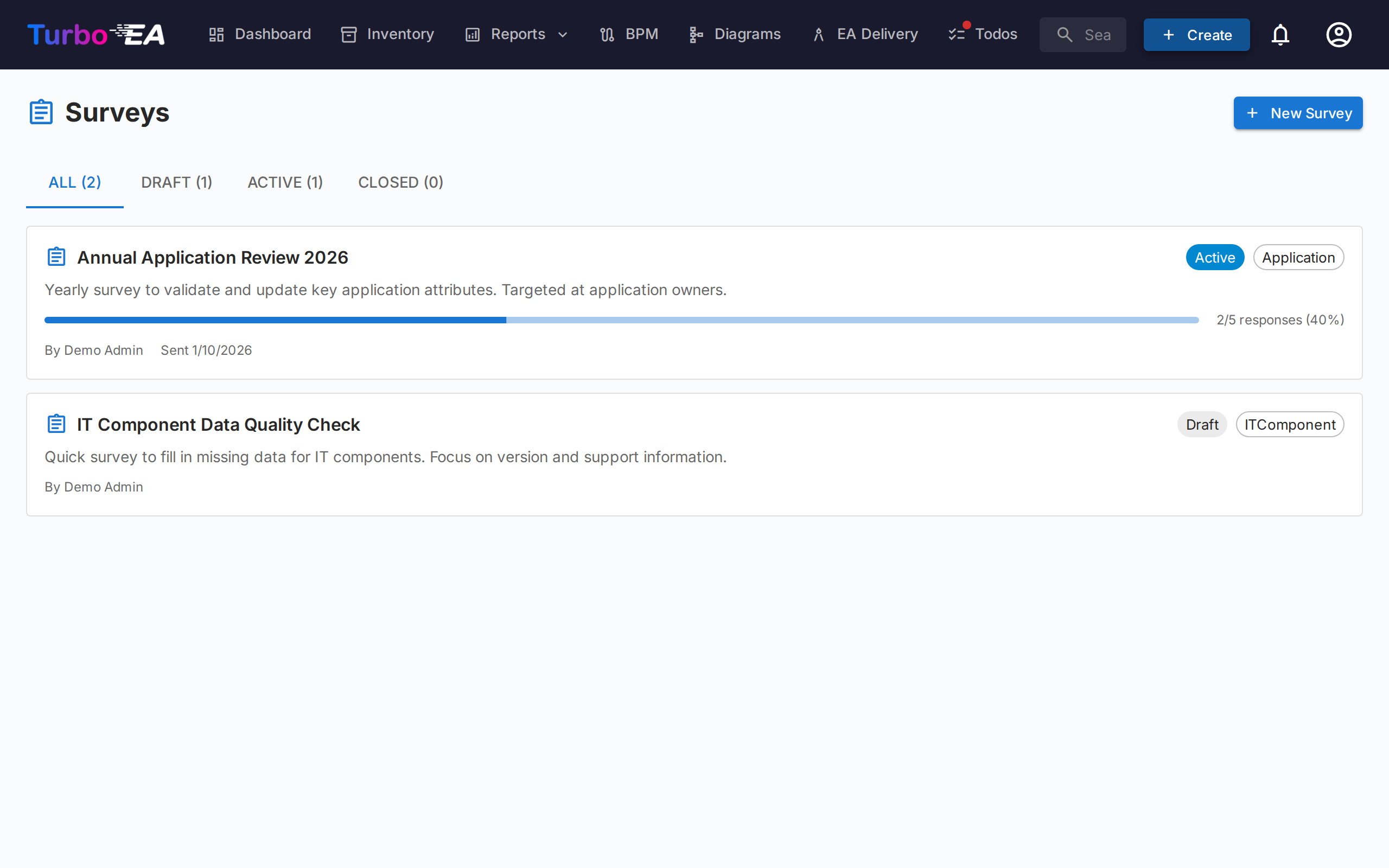
The Surveys module (Admin > Surveys) enables administrators to create data-maintenance surveys that collect structured information from stakeholders about specific cards.
Use Case
Surveys help keep your architecture data current by reaching out to the people closest to each component. For example:
- Ask application owners to confirm business criticality and lifecycle dates annually
- Collect technical suitability assessments from IT teams
- Gather cost updates from budget owners
Survey Lifecycle
Each survey progresses through three states:
| Status | Meaning |
|---|---|
| Draft | Being designed, not yet visible to respondents |
| Active | Open for responses, assigned stakeholders see it in their Todos |
| Closed | No longer accepting responses |
Creating a Survey
- Navigate to Admin > Surveys
- Click + New Survey
- The Survey Builder opens with the following configuration:
Target Type
Select which card type the survey applies to (e.g., Application, IT Component). The survey will be sent for each card of this type that matches your filters.
Filters
Optionally narrow the scope by filtering cards. Four filter types are available and can be combined:
- Specific cards — Pick one or more cards directly (filtered to the selected target type). Use this to target a single card or a hand-picked subset.
- Cards related to — Only include cards that have a relation to one of the listed items (e.g., all Applications related to the Sales organization).
- Tags and Attribute filters — Match cards by tag or by attribute conditions (e.g., cost greater than 10 000, TIME rating is missing).
- Last update — Only include cards nobody has changed for a while: 30 days, 90 days, 6 months, 1 year, or a custom number of days or months. The builder shows the cutoff date it resolves to as you pick. The window is relative to when the survey is sent, not when you design it, so a draft parked for a while still finds the cards that are stale then. It measures the card's Modified date — the same one the inventory column and the card's History tab show.
Questions
Design your questions. Each question can be:
- Free text — Open-ended response
- Single select — Choose one option from a list
- Multiple select — Choose multiple options
- Number — Numeric input
- Date — Date picker
- Boolean — chosen from a Yes / No list; None is no answer and leaves the card's value as it is
Relationships
Beyond attributes, a survey can also ask respondents to keep a card's relationships current. In the Fields step, the Relations section lists every relationship the target card type can have, in both directions (for example, for an Application: supports → IT Component and used by ← Organization). A card type that supports lineage appears here like any other relationship, in both directions and under its own verbs — for an Application, succeeds collects the cards it replaced and is succeeded by collects the ones replacing it. Sides an administrator has hidden on the card type are not offered. For each one you pick, choose an action:
- Maintain — The respondent sees the currently linked cards and can add or remove links using a search picker.
- Confirm — The respondent simply acknowledges that the current links are correct, or turns the toggle off to propose changes.
When you apply such a response, Turbo EA adds the new links and removes the ones the respondent dropped. The change is recorded in the card's history just like a manual relationship edit.
Lifecycle Dates and Stakeholder Roles
Two more tables in the Fields step let a survey ask about things that are not attributes:
- Lifecycle dates — one row per phase (Plan, Phase In, Active, Phase Out, End of Life). The respondent sees the card's current date and confirms it or proposes another; clearing the date proposes removing it. A phase dated after the one that should follow it is flagged on the form, as on the card. The table is not offered when the card type hides its lifecycle section.
- Stakeholder roles — one row per stakeholder role of the target card type. The respondent sees who holds the role today and edits the list with a people picker. Applying the answer adds the people they added and removes the ones they dropped; deactivated users are never added or removed.
Each of these fields can be Maintain or Confirm, like any other.
Auto-Actions
Configure rules that automatically update card attributes based on survey responses. For example, if a respondent selects "Mission Critical" for business criticality, the card's businessCriticality field can be updated automatically.
Sending a Survey
Once your survey is in Active status:
- Click Send to distribute the survey
- Each targeted card generates a todo for the assigned stakeholders
- Stakeholders see the survey in their My Surveys tab on the Tasks page
- Each stakeholder receives one notification — and one email, where enabled — however many of their cards are in the survey; the email lists those cards, each linking straight to its response form
A card needs someone to ask
A card is only surveyed if at least one person holds one of the target stakeholder roles on it. Cards that match your filters but have no such stakeholder are skipped, and the Preview & send step reports how many, so you can assign owners rather than wonder why the count is low.
A survey can also be created and sent by an installed extension — a scheduled rule, say, that asks the owners of every card matching a condition to complete it. Such a survey lists no author, its fields are the ones the card type defines, and it behaves like any other: you close it and apply its answers here. Rolling back the extension's run in Admin → Audit log closes the survey and withdraws the requests nobody had answered yet.
Viewing Results
Navigate to Admin > Surveys > [Survey Name] > Results to see:
- Response status per card (responded, pending)
- Individual responses with per-question answers
- An Apply action to commit auto-action rules to card attributes
Applying a response goes through the same checks as an edit made on the card itself. A value the card refuses — an option that no longer exists, say — is reported for that response and none of it is applied, while the other responses still go through. Each change appears in the card's History tab under the administrator who applied it, with a via survey marker naming the survey; hovering the marker shows who answered. The whole apply is one entry in Admin → Audit log, so it can be rolled back from there.
Deleting a Survey
A survey of any status can be deleted: open the ⋮ menu on its row in Admin > Surveys, or use Delete in the survey builder or on the results page. The confirmation says what goes with it: requests still waiting for an answer are withdrawn, together with their notifications, and answers not yet applied are lost. Changes already applied stay on the cards, and the card history keeps naming the survey.